

App Store Screenshots (28)


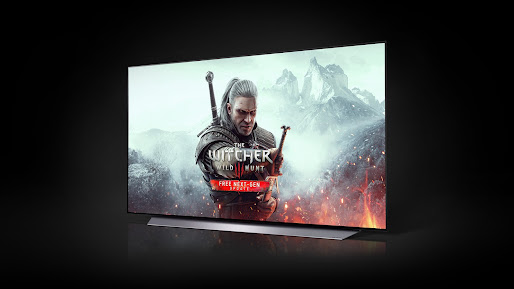


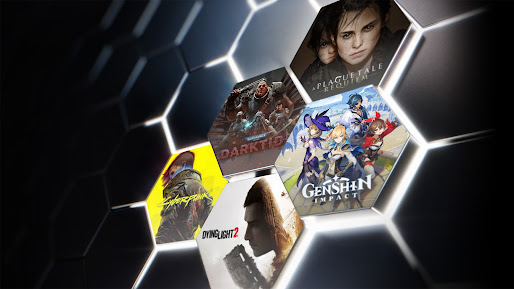


Design Analysis
Visual Design
Style: Custom
Key Features Shown
- •Multi-device support (TV, Laptop, Phone)
- •Vast game library visualization
- •Specific game highlights (The Witcher, Dota Underlords)
- •NVIDIA Branded UI
App Insights
Target: Hardcore gamers with low-end hardware, mobile users wanting to play AAA PC titles, and Chromebook users.
- •External Subscription (Web-based)
- •Freemium tier (ad-supported/time-limited)
- •Premium tiers (Priority/Ultimate)
ASO Keywords:
About GeForce NOW Cloud Gaming
NVIDIA GeForce NOW™ transforms your device into a powerful PC gaming rig. Gamers can play PC titles they already own or purchase new games from popular digital stores like Steam, Epic Games Store, Ubisoft Connect, and EA. Access 1500+ games, with more released every GFN Thursday. The catalog also features many of the world’s most-played games, including 100+ free-to-play titles, like Fortnite, Apex Legends, Destiny 2 and more. Play with and against millions of other PC players, and never wait for downloads, installs, patches or updates. Downloading the app will not give you access to the service. Streaming with GeForce NOW requires a membership. Give PC gaming a try with our free membership. Or join one of our premium memberships for an enhanced experience including faster frame rates, RTX ON, priority access to our gaming servers and extended session lengths. To learn more about membership options, and to sign-up for GeForce NOW, visit our page here: www.geforcenow.com. The GeForce NOW app works with Android phones, tablets and TV devices supporting OpenGL ES 2.0 with at least 1GB of memory and Android 5.0 (L) or later. GeForce NOW works with most Chromebooks with 4GB of RAM or more. For an optimal experience, we recommend 5GHz WiFi or Ethernet connection with at least 15Mbps. You can find a full list of system requirements and supported gamepads here: https://www.nvidia.com/en-us/geforce-now/system-reqs/
Create screenshots like GeForce NOW Cloud Gaming
Use FlyerBanana's free editor to create professional App Store screenshots inspired by GeForce NOW Cloud Gaming's design. 100+ templates, device frames, and one-click export.
More Entertainment Apps
View all

YouTube
Entertainment


Spotify: Music and Podcasts
Entertainment


TikTok - Videos, Shop & LIVE
Entertainment


Pandora: Music & Podcasts
Entertainment


Shazam: Find Music & Concerts
Entertainment


Photo Lab Picture Editor & Art
Entertainment