

App Store Screenshots (4)


Design Analysis
Visual Design
App Insights
About Filterly - AI Photo Enhancer
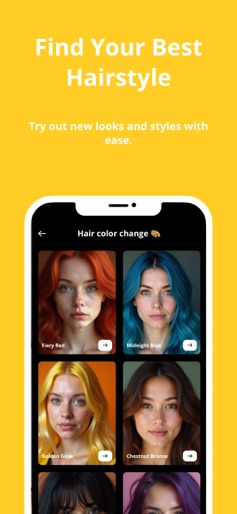
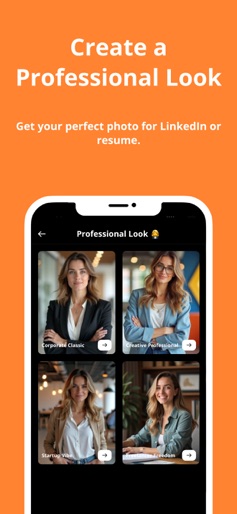
Filterly - AI-Powered Selfie Enhancements Unveil your best self with Filterly, the ultimate AI-powered app designed to transform your selfies and photos into stunning visuals perfect for Instagram and beyond. Whether you're finding the ideal hairstyle, exploring realistic aging effects, or creating flawless headshots, Filterly helps you express your true self effortlessly. Key Features: Hairstyle Finder: Discover and try on the best looks for your face shape. Aging Effects: See how you'll age with realistic, share-worthy filters. Selfie Retouching: Instantly enhance your selfies with subtle, natural-looking adjustments. Creative Transformations: Turn yourself into a rockstar, celebrity, or try on different personas. LinkedIn-Ready Headshots: Generate professional photos for your career profiles. Try Before You Buy: Enjoy a free access with 10 photo generations to experience the power of our features. After that, unlock unlimited access with our attractive subscription plans. Filterly combines state-of-the-art AI with an intuitive interface, giving you the tools to create eye-catching, personalized photos that stand out on social media. Whether for fun or professional use, Filterly helps you present the best version of yourself. Download Filterly today and take your selfies to the next level! For support, contact: support@filterly.app FOR MORE INFORMATION: https://www.filterly.app/terms https://www.filterly.app/privacy
Create screenshots like Filterly - AI Photo Enhancer
Use FlyerBanana's free editor to create professional App Store screenshots inspired by Filterly - AI Photo Enhancer's design. 100+ templates, device frames, and one-click export.
More Entertainment Apps
View all

YouTube
Entertainment


Spotify: Music and Podcasts
Entertainment


TikTok - Videos, Shop & LIVE
Entertainment


Pandora: Music & Podcasts
Entertainment


Shazam: Find Music & Concerts
Entertainment


Photo Lab Picture Editor & Art
Entertainment