

App Store Screenshots (15)




Design Analysis
Visual Design
App Insights
About Email - Email Login
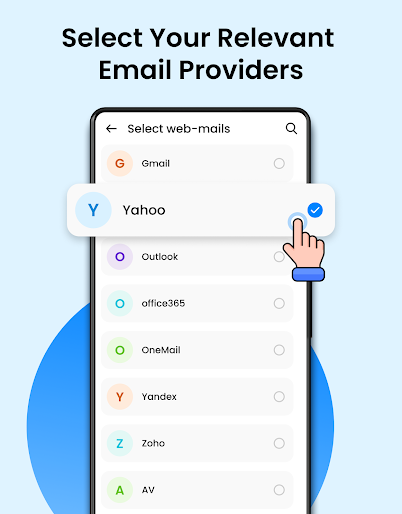
In the market, there are more than 20 email companies. For managing your emails across these accounts, you'd typically need 20+ different apps. But here's a solution: log in to all your email accounts using a single app. With this app, you can log in to all your email accounts in one place. You can log in to up to 20+ mail accounts using this single app. Key Features: - All Email Connect Connect all your email accounts in a single app so you don't need to install different apps for different email accounts. - Fast & Secure Mail With this app, you can check and reply to all emails without having to open multiple apps. - All Email Login Log in to all your email accounts using the Email Login app. - Organized All Email Accounts in One Place This app provides a user-friendly interface where you can access all your email accounts on a single screen. - Email Messaging Easily reply to any email using different accounts with this app. - Mail Inbox Check all your email accounts' inbox emails at one place. - All Email Access Add all your email accounts to this single app for easy access. - Fast All Mail Read and reply to emails quickly to save time. - Fast and Secure Mail This app is safe to use, so you don't need to worry about security. Now upgraded with AI! Instantly write, reply, and generate emails smarter than ever. Boost your productivity with the AI Email Writer – the easiest way to write, reply, and generate emails using advanced AI. Whether it's for work, marketing, sales, or personal use, our smart email assistant helps you save time and communicate better. AI Email Writer Key Features: AI Email Writer – Just enter your message idea, choose tone and length, and let the AI write it for you AI Email Reply – Paste received emails and get auto-generated replies instantly Email Templates – Pre-written professional templates for marketing, collaboration, invitations, and more Customizable Tones – Choose from formal, friendly, conversational, persuasive, romantic, and more Emoji Support & Language Settings – Add emotion and localize with ease Clean, user-friendly interface – Write and send emails with just a few taps Download Email - Email Login app for use multiple email account at one place.
Create screenshots like Email - Email Login
Use FlyerBanana's free editor to create professional App Store screenshots inspired by Email - Email Login's design. 100+ templates, device frames, and one-click export.











