
App Store Screenshots (8)




Design Analysis
Visual Design
Style: Custom
Key Features Shown
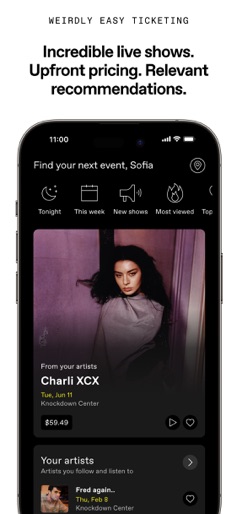
- •Personalized Home Feed
- •Most Viewed Events List
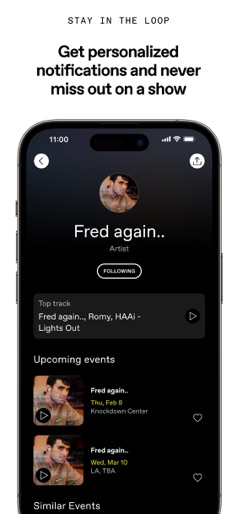
- •Artist Profiles with Music Sync
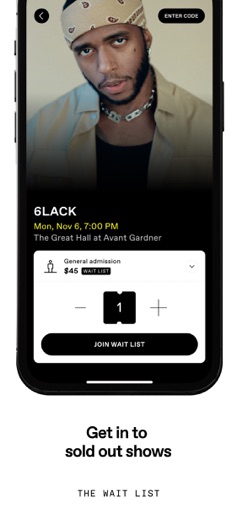
- •Transparent Checkout UI
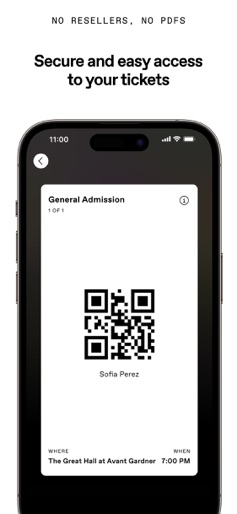
- •Secure QR Ticket
App Insights
Target: Gen Z and Millennial music fans, club-goers, and festival enthusiasts who value transparent pricing and social discovery.
- •Ticket commission fees
- •Service fees
- •Merchandise sales
- •Promoter/Venue partnerships
- •VIP/Premium add-ons
ASO Keywords:
About DICE: Live Shows
DICE makes going out easy. Discover the best shows, club nights, and festivals near you and get tickets in seconds. DISCOVER PERSONALIZED EVENTS Stay in the loop with events happening in your area with notifications and relevant shows appearing in your home feed. Connect your Spotify or Apple Music to discover events based on your taste. Create the nightlife you want by following friends, artists and venues. More music, less noise. UPFRONT PRICING See the full price upfront every time, with no surprises at checkout. No resellers or hiked-up prices, just secure and easy access to your tickets, right there on your phone. Get the chance to access sold-out shows at face value with our wait list. QUICK & EASY DICE takes fans from discovery to ticket purchase in just a few taps. Use Apple Pay or securely save your card in the app to make every purchase a breeze. Just show your QR code at the door, and you’re in. Not a PDF in sight. PLAN WITH FRIENDS Follow your friends, see what they’re going to and invite them to shows with a couple of taps. Share plans with your community as and when you choose. Transfer tickets between friends quickly, safely and easily. THE BEST NIGHTS OUT ARE ON DICE Discover the most share-worthy shows in your local area at incredible clubs and venues. We partner with the best artists, venues and promoters to bring you shows you’ll never forget. From emerging artists on the brink of greatness to the world’s most legendary bands, you can find your crowd tonight on DICE. WE’VE GOT MERCH Get exclusive access to artist merch drops. Make your night out special with VIP access, artist meet-and-greets and a grab-bag of other fun extras. Do more than just tickets the DICE way. We are the alternative. Join the 10 million+ fans using DICE every month to go out more. —— Need anything? We got you: https://dice.fm/help
Create screenshots like DICE: Live Shows
Use FlyerBanana's free editor to create professional App Store screenshots inspired by DICE: Live Shows's design. 100+ templates, device frames, and one-click export.
More Entertainment Apps
View all

YouTube
Entertainment


Spotify: Music and Podcasts
Entertainment


TikTok - Videos, Shop & LIVE
Entertainment


Pandora: Music & Podcasts
Entertainment


Shazam: Find Music & Concerts
Entertainment


Photo Lab Picture Editor & Art
Entertainment