App Store Screenshots (9)





Design Analysis
Visual Design
App Insights
About Deezer: Music Player, Podcast
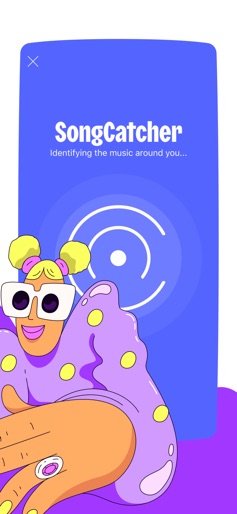
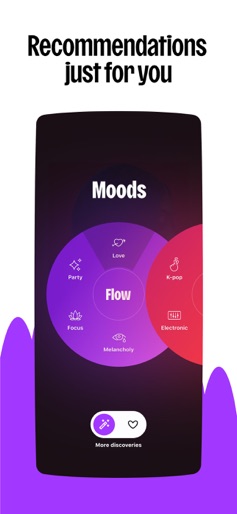
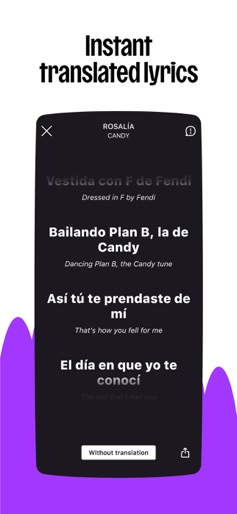
Deezer is more than just a music platform. It’s a fully personalized listening experience that adapts to you. From mood-driven mixes to curated playlists, discover music that sounds like you. Deezer is where you can embrace your tastes, turn up the volume, and Live the Music. With a Deezer Premium plan, you'll get everything you need in one app: Music you love, made for you • A massive catalog with all the tracks you could ever want • Flow, your infinite, personalized mix of favorites and new discoveries • Curated playlists for every mood, genre, or season • Also explore Podcasts, Audiobooks*, and Radio* Interactive and fun features • Shaker lets you mix playlists with friends and compare your tastes • Music Quiz tests your music knowledge — solo or with friends • SongCatcher helps you find any song playing around you (even if you hum it) • Deezer Club gives you a shot at winning exclusive live event tickets Customization at your fingertips • Shape your algorithm to find music that you love • Create custom playlist covers • Reorganize your Homepage and Favorites to put your top picks front and center • Share any song or playlist — even with people who don’t use Deezer • Dive deeper with lyrics, including translations And of course, the essentials • Ad-free listening, always • Offline mode for when you’re low on service • Unlimited skips and on-demand listening • HiFi audio quality, so you never miss a beat Choose your plan: • Deezer Premium – One Premium account with all our features • Deezer Duo – Two Premium accounts, one subscription • Deezer Family – Up to 6 Premium accounts with kid-friendly profiles • Deezer Student – Get all the benefits of Deezer Premium for half the price • Deezer Free* - Full access to our catalog, with occasional ads and limited features Take Deezer anywhere Enjoy your music on all your favorite devices: • Smart speakers like Alexa, HomePod Mini, & Sonos • Wearables including Apple Watch, Fitbit & other Wear OS devices • In your car with Automotive OS On your wrist Launch the Deezer app on your Apple Watch, Fitbit, or any Wear OS device and listen to your favorite tracks wherever you go. Want more from Deezer? Follow us: Instagram: instagram.com/deezer Facebook: facebook.com/deezer X: x.com/deezer Privacy policy Terms of use https://www.apple.com/legal/internet-services/itunes/dev/stdeula/ *Some features and plans may not be available in all countries.
Create screenshots like Deezer: Music Player, Podcast
Use FlyerBanana's free editor to create professional App Store screenshots inspired by Deezer: Music Player, Podcast's design. 100+ templates, device frames, and one-click export.