
App Store Screenshots (6)


Design Analysis
Visual Design
App Insights
About Crunchyroll
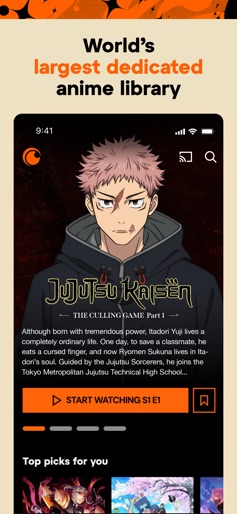
WATCH THE MOST POPULAR AND TOP-RATED ANIME ANYTIME, ANYWHERE Stream new episodes, classic favorites, and anime movies with the Crunchyroll app. Whether you love action-packed anime, heartwarming slice-of-life stories, or fantasy adventures, Crunchyroll offers the largest anime collection online, featuring a massive library of anime shows and movies available on your favorite device. Watch anime ad-free and in high quality—all in one place. EXCLUSIVE MUSIC VIDEOS AND CONCERTS Get access to thousands of music videos, concert exclusives, and special performances from top artists worldwide. Watch unique behind-the-scenes footage, live performances, and carefully curated playlists that bring anime soundtracks and J-pop sensations to your screen. APP FEATURES ■ Watch anime subbed and dubbed—choose from multiple languages (dub availability varies). ■ Create Crunchylists—make playlists of episodes and favorites. ■ Explore every genre—action, adventure, romance, comedy, supernatural, fantasy, slice of life, and more. ■ Stay up-to-date with simulcast episodes—watch shortly after they air in Japan. ■ Discover Crunchyroll Originals—watch exclusive anime titles created in collaboration with top studios. ■ Enjoy interactive recommendations—get personalized suggestions based on your viewing habits. ■ With Crunchyroll Premium save with the annual plan. ■ Ad-free streaming—enjoy your favorite anime without interruptions. ■ Early access to new episodes—watch shortly after they air in Japan. ■ Offline viewing—download episodes to watch anytime (available for Mega Fan and Ultimate Fan members). ■ Multiple device streaming—watch on up to six devices simultaneously with Ultimate Fan membership. ■ Crunchyroll Game Vault—play exclusive mobile games with no ads or in-app purchases (Mega Fan and Ultimate Fan members). STREAM THE LARGEST ANIME LIBRARY Over 2,000 titles available, including critically acclaimed Crunchyroll Originals, such as Tower of God, The God of High School, and FreakAngels. ANIME SHOWS ■ One Piece ■ Solo Leveling ■ Attack on Titan ■ My Hero Academia ■ Frieren: Beyond Journey’s End ■ Blue Lock ■ The Apothecary Diaries ■ Dan Da Dan ■ Jujutsu Kaisen ■ Demon Slayer ■ Naruto Shippuden ■ Vinland Saga ■ Dragon Ball: DAIMA ■ And more ANIME MOVIES ■ Suzume ■ Dragon Ball Super: Super Hero ■ Jujutsu Kaisen 0 ■ My Hero Academia: You’re Next ■ Demon Slayer: Mugen Train ■ One Piece Film Red ■ Your Name ■ And many more DOWNLOAD NOW AND START WATCHING THE BEST ANIME SERIES AND MOVIES—ALL IN ONE PLACE IN-APP PURCHASING AND AUTO-PAY INFO ■ Your account will be automatically charged upon confirming membership. ■ Membership auto-renews unless turned off at least 24 hours before renewal. ■ Your account will be charged monthly for renewal within 24 hours before the current period ends. ■ Subscription pricing may vary based on region and selected membership tier. Privacy Policy: https://www.sonypictures.com/corp/privacy.html Terms of Service: https://www.crunchyroll.com/tos
Create screenshots like Crunchyroll
Use FlyerBanana's free editor to create professional App Store screenshots inspired by Crunchyroll's design. 100+ templates, device frames, and one-click export.
More Entertainment Apps
View all

YouTube
Entertainment


Spotify: Music and Podcasts
Entertainment


TikTok - Videos, Shop & LIVE
Entertainment


Pandora: Music & Podcasts
Entertainment


Shazam: Find Music & Concerts
Entertainment


Photo Lab Picture Editor & Art
Entertainment