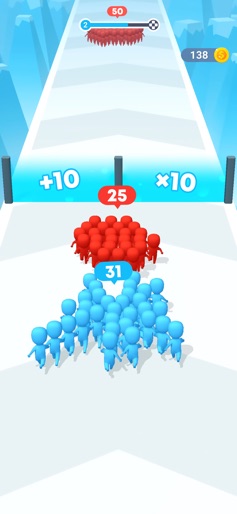
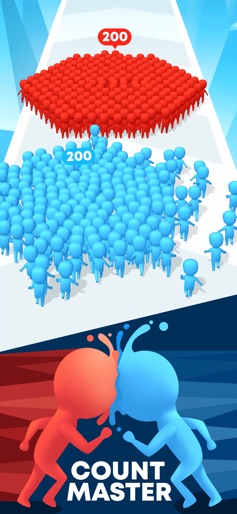
Count Masters: Stickman Games icon

Count Masters: Stickman Games

Freeplay Inc

Action
4.5(583.2K ratings)
Free
Create Screenshots Like Count Masters: Stickman Games

App Store Screenshots (6)

Count Masters: Stickman Games screenshot 1
Count Masters: Stickman Games screenshot 2
Count Masters: Stickman Games screenshot 3
Count Masters: Stickman Games screenshot 4
Count Masters: Stickman Games screenshot 5
Count Masters: Stickman Games screenshot 6

Design Analysis

Visual Design

App Insights

About Count Masters: Stickman Games

Choose the best gate, pass through it, and bring stickman warriors together to clash with the opposing crowd. Become the crowd master and lead your people through the crowded city till the end of this epic race. Crash obstacles and beat everyone on your way, collect coins and upgrade your levels. Defeat the King-stickman in the final battle and take the castle! Looking for some fun and thrill? Then this 3d running game is just for you. Count Masters is one of the most exciting clash games of all times! You start the battle alone but trust us: there are no chances for you to feel lonely. This city takeover game features fascinating graphics and simple mechanics. You have a chance to get absorbed in the bright world of Count Masters full of gang fights and stickman battles. Get ready to spend hours playing one of the most thrilling running games. We promise: you won’t get bored!

Create screenshots like Count Masters: Stickman Games

Use FlyerBanana's free editor to create professional App Store screenshots inspired by Count Masters: Stickman Games's design. 100+ templates, device frames, and one-click export.


More Action Apps

View all

Frequently Asked Questions

How can I create screenshots like Count Masters: Stickman Games?
You can create App Store screenshots inspired by Count Masters: Stickman Games using FlyerBanana's free screenshot editor. Choose from 100+ templates, customize colors, text, and device frames, then export in all required sizes.
What screenshot sizes does Count Masters: Stickman Games use?
Count Masters: Stickman Games uses standard App Store screenshot sizes including 6.7" (1290×2796px), 6.5" (1284×2778px), and 5.5" (1242×2208px) for iPhones. FlyerBanana supports all required sizes with one-click export.
Can I use Count Masters: Stickman Games's screenshot style for my app?
Yes! While you shouldn't copy screenshots directly, you can use Count Masters: Stickman Games's design patterns as inspiration. FlyerBanana's templates let you create professional screenshots with similar layouts, color schemes, and visual styles.
What makes good Action app screenshots?
The best Action app screenshots clearly showcase key features, use consistent branding, include compelling copy, and follow App Store guidelines. Browse our Action inspiration gallery to see what top apps do well.