
App Store Screenshots (24)


Design Analysis
Visual Design
App Insights
About Coloring & Learn
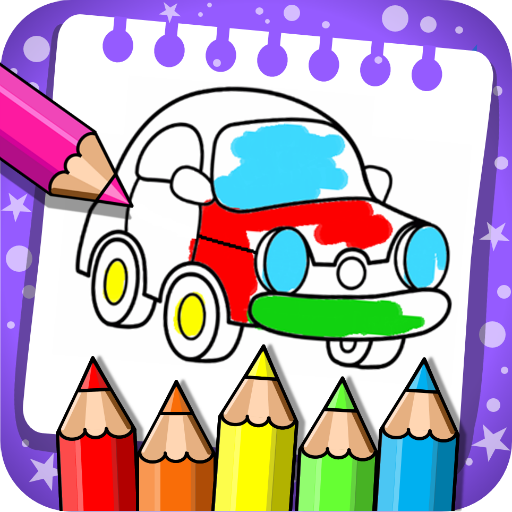
"Coloring and Learn" is an realistic coloring game with more than 250 pages with educational content and many more activities for all ages!. "Free mode": now you can freely draw, doodle, color and unleash your imagination. "Glow coloring mode": Create magic doodle artwork with neon paint! Explore the wonderful world of color! The whole family, parents and children will have hours of fun together! Can draw and coloring in the same way they do on paper using different tools. You can have fun coloring with your kids or do coloring contests with them. The possibilities are endless. They learn to write the alphabet and numbers. Count, Distinguish geometric figures, know the animals, transportation and more! Decorate your artworks with over 100 beautiful stickers. Promotes the development of imagination, the arts, and increases the ability of concentration and fine motor skills of children. Save your creations in the album and edit them at any time! Share your doodles with your family and friends via Facebook, Twitter, Instagram, WhatsApp, email, and more... The game is very fun, simple and educational for all ages. In addition, it contains other fun activities: • Drum: become a musician playing drums and creating beautiful songs. It's a fun way to learn music with this wonderful instrument. • Pop Balloons: have fun blowing balloons with your fingers and listening to the sounds of animals. • Magic Lines: create your own fireworks show. • Learn Colors: a nice didactic game to learn the colors. • Aviator: develop your imagination and creativity with this fascinating minigame to launch airplanes. • Sea: create a beautiful marine world with this wonderful game of fish. • Pixel Art : develop spatial recognition by drawing pixel by pixel and recreating fun characters. • Halloween Puzzles It works perfectly in all smartphones and tablets *** COLLECTIONS *** ★ ANIMALS (to learn the Name of Animals) ★ VEHICLES (to learn the most common means of transport) ★ ALPHABET (to learn Alphabets from A to Z) ★ NUMBERS (to learn Numbers from 0 to 10) ★ CAPYBARAS (color these cute and fun little animals) ★ GEOMETRIC FIGURES (to learn basic Geometric Figures and Space) ★ CONNECT POINTS (to learn to count,and improve motor skills) ★ CHRISTMAS (Beautiful funny coloring drawings) ★ HALLOWEEN (Funny characters that do not scare anyone) ★ DINOSAURS (know our friends from prehistory) ★ FREE MODE (unleash your imagination) *** FEATURES *** ★ All content is 100% FREE ★ Simple design and very intuitive for children. ★ Different strokes of pencil and colors ★ Colors with flash effect (dynamic random color for endless bright colors) ★ Over 100 adorable stickers to decorate your paintings. ★ Eraser function. ★ “Undo” function and “Clear All” function. ★ Save drawings in the album to then share or edit them. *** DO YOU LIKE OUR APP? *** Help us and take a few seconds to rate it and write your opinion on Google Play. Your contribution will enable us to improve and develop new free games.
Create screenshots like Coloring & Learn
Use FlyerBanana's free editor to create professional App Store screenshots inspired by Coloring & Learn's design. 100+ templates, device frames, and one-click export.
More Creativity Apps
View all

Craftsman: Building Craft
Creativity


Video Editor & Maker - InShot
Creativity


Color by Number:Coloring Games
Creativity


Picsart AI Photo Editor, Video
Creativity


Filmora: AI Video Editor&Maker
Creativity


GoPro Quik
Creativity