

Clapper: Video, Live, Chat
CLAPPER MEDIA GROUP INC.
Create Screenshots Like Clapper: Video, Live, ChatApp Store Screenshots (6)



Design Analysis
Visual Design
App Insights
About Clapper: Video, Live, Chat
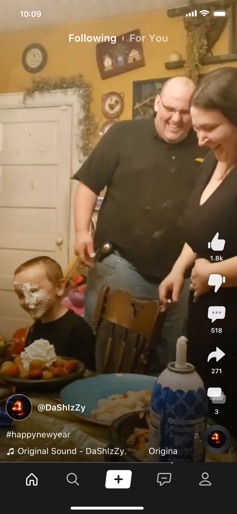
Welcome to Clapper, one of the fastest-growing social media platforms focused on promoting real lives, connections and communities. You can see the latest trends and people’s real lives as they unfold, as well as people’s opinions and talents. FREE to use, NO Ads, No BS just Real lives. Our mission is to use technology to empower everyone's life, so that everyone has the opportunity to show, the channel to speak, and the possibility to be seen. No troll, no shadow ban. -Be heard Build up your own following and be an opinion leader. Connect with friends and follow those whose opinions you want to hear. Our “Clapback” feature is unique in that you can simply express your opinion and easily view people’s opinions with support or opposition. - Be seen Clapper uses ‘equal opportunity’ algorithms to show ordinary, real, and diverse communities of people through the sharing of short videos and live streams, Everyone can easily record videos and be a part of the heartbeat of your community. Based on your location things that are local in your area will be aggregated for you as well. - Be valued Clapper launches live streaming to further increase the timely communication and interaction between creators and users, and add more new ways for creators with a moderate audience to obtain substantial income. With monetization, Clapper now offers a practical path for content creators to sustain themselves on an ad-free short video platform. *What can you expect?* a) Post Video: Short video is the foundation of Clapper where users can post videos for up to 3 minutes and you also have the option to use our additional features like add text, video trimming, music, and other effects. Interact, sing, dance, talk about your day, send messages to friends and followers. b) Duet Live: Apart from the solo Live option, duet live feature allows you to bring your follower on live and interact in real-time. c) Radio: Imagine an auditorium but with only vocals. This is the audio-only feature that allows you to create a room of up to 2000 listeners and up to 20 speakers to 'talk' d) Group: Create a community of your super fans where you can share interact 1:1 with them. Download now and discover the heartbeat of your local area and around the world. Website: https://clapperapp.com/ Facebook: https://facebook.com/theclapperapp Instagram: https://instagram.com/theclapperapp Twitter: https://twitter.com/theclapperapp Email: contact@clapperapp.com
Create screenshots like Clapper: Video, Live, Chat
Use FlyerBanana's free editor to create professional App Store screenshots inspired by Clapper: Video, Live, Chat's design. 100+ templates, device frames, and one-click export.
More Entertainment Apps
View all

YouTube
Entertainment


Spotify: Music and Podcasts
Entertainment


TikTok - Videos, Shop & LIVE
Entertainment


Pandora: Music & Podcasts
Entertainment


Shazam: Find Music & Concerts
Entertainment


Photo Lab Picture Editor & Art
Entertainment