

App Store Screenshots (6)

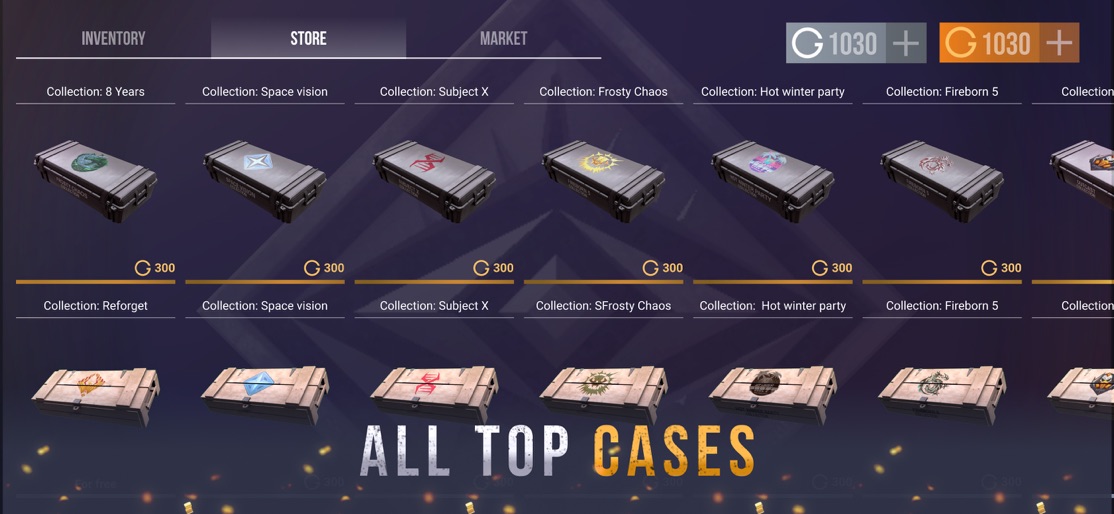


Design Analysis
Visual Design
Style: Custom
Key Features Shown
- •3D Glove Preview
- •Case Store
- •Spin Wheel/Lucky Draw
- •Battle Pass (Free & Gold)
- •Collection View
App Insights
Target: Fans of the mobile FPS 'Standoff 2' who enjoy the gambling mechanics of case opening without the financial risk of the official game.
- •Interstitial ads
- •Rewarded video ads
- •Banner ads
ASO Keywords:
About Case Simulator fo Standoff 2 D
Warning : This application is not created by AXLEBOLT LTD and is not official . Created by Standoff 2 fans If you are a fan of Standoff 2, you know how important it is to have the best weapons in the game. However, it can be difficult and time-consuming to obtain these items. That's where the Case Simulator for Standoff 2 comes in! Our app is a box simulator that allows you to experience the excitement of opening cases and crafting weapons without spending a dime. With realistic graphics and animations, you can open cases and see what kind of items you get. You can even craft your own weapons and customize them to your liking. The Case Simulator for Standoff 2 is perfect for players who want to practice opening cases without actually spending their money. You can open cases as many times as you want and hone your skills until you're ready to do it in the actual game. In addition to opening cases and crafting weapons, the app also allows you to see the rarity of each item and the percentage chance of obtaining them. This information is crucial for players who want to strategize and optimize their gameplay. With the Case Simulator for Standoff 2, you can also compete with other players and show off your collection of weapons. There are leaderboards that display the most valuable collections and the players with the most opened cases. Our app is updated regularly to ensure that you have access to the latest cases and weapons in the game. We strive to provide the most realistic and accurate simulation of the actual game experience. In summary, the Case Simulator for Standoff 2 is a must-have app for any fan of the game. It allows you to open cases, craft weapons, and compete with other players without spending any money. With realistic graphics and regular updates, you'll never get bored. Download the app now and start opening cases today!
Create screenshots like Case Simulator fo Standoff 2 D
Use FlyerBanana's free editor to create professional App Store screenshots inspired by Case Simulator fo Standoff 2 D's design. 100+ templates, device frames, and one-click export.
More Entertainment Apps
View all

YouTube
Entertainment


Spotify: Music and Podcasts
Entertainment


TikTok - Videos, Shop & LIVE
Entertainment


Pandora: Music & Podcasts
Entertainment


Shazam: Find Music & Concerts
Entertainment


Photo Lab Picture Editor & Art
Entertainment