
Captions: AI Short-Form Video
Captions, LLC (US)
Create Screenshots Like Captions: AI Short-Form VideoApp Store Screenshots (5)

Design Analysis
Visual Design
App Insights
About Captions: AI Short-Form Video
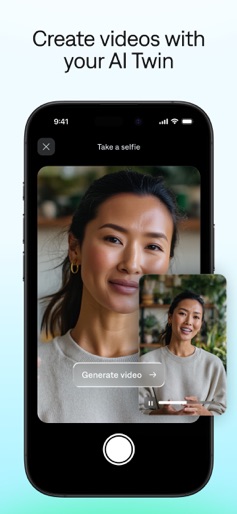
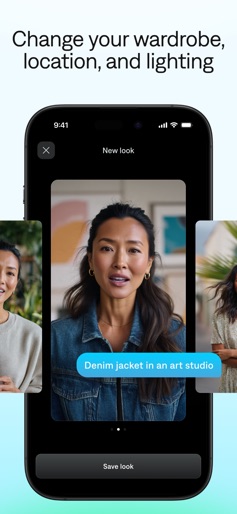
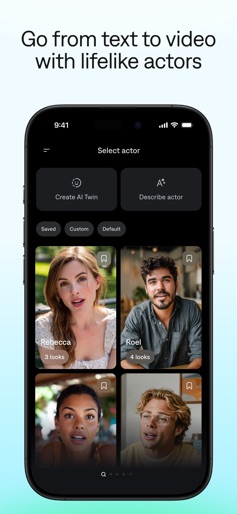
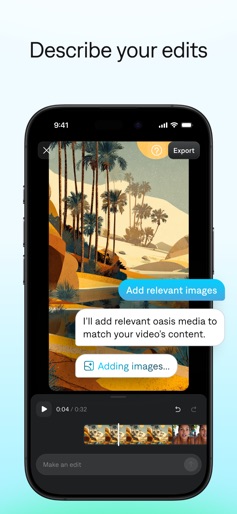
NEVER RECORD OR EDIT A VIDEO AGAIN Built by MIRAGE™, Captions is an AI video generator and editor that makes it easy to create talking videos. It’s designed for creators and small businesses—no professional editor or special skills required. Make the videos you’ve always dreamed of, all in one app. Just take a selfie to make your AI twin, then use your twin for new footage. Type what you want in your video, and you’ll have quality footage in minutes. Use Captions’ AI editing tools to turn your video into social-ready content. Type your vision, and our tools do the rest. Describe a style you like or reference trending aesthetics, and our tools will automatically apply stylized effects, generated B-roll, and more. Since Captions was made for talking videos, you’ll get better outputs. Just download the final video and you’re ready to go. You can also use Captions to make videos more accessible with auto-generated captions, dubbing, and subtitles. Choose from a range of languages to make as many versions as you need. CUSTOM AVATARS -Selfie to Video: Use a selfie to generate your AI twin, then use it for future videos. -AI Actors: Pick from a wide selection of avatars who can star in your videos. -Adjust Looks: Transform your selfie for unlimited possibilities. You can change its appearance, outfit and even background to reuse the same twin for future videos. VIDEOS IN MINUTES -Text to Video: Create new videos with simple prompts. We’ll generate a full script and edited output video. -AI Editing: Use the chat box to describe your edits, and our tools will automatically apply changes or effects. Simple text will make changes like transitions, pacing or even adding B-roll. -AI Teleprompter: When you record with our camera, you can read from your script directly in the app. AI EDITING TOOLS -AI Eye Contact: Correct your eye contact so you’re always looking right at the viewer, no matter how you originally filmed the clip. -AI Denoise: Automatically remove background noise from talking videos you filmed yourself. -AI Zoom: Instantly add relevant zooms, related to your content. -AI Scale: Quickly resize videos for whatever aspect ratio you need. -AI Hashtags: Automatically generate suggested video captions and hashtags. -Multiple Models: Choose from more than 20+ models to generate details like music, sounds and images. CAPTIONS AND DUBBING -AI Captions: Automatically generate accurate captions or subtitles in 100+ languages. You can choose specific fonts or colors, too. -AI Dubbing: Dub your content into 29 languages, with just a tap of a button. These features require an active Captions subscription
Create screenshots like Captions: AI Short-Form Video
Use FlyerBanana's free editor to create professional App Store screenshots inspired by Captions: AI Short-Form Video's design. 100+ templates, device frames, and one-click export.
More Content Creation Apps
View all

Splice - Video Editor & Maker
Content Creation


VN - AI Video Editor
Content Creation

VLLO- Video Editor, Vlog Edits
Content Creation


Edits: Video Editor
Content Creation


LumaFusion
Content Creation
Flibbo AI - Video Image Maker
Content Creation