

Calo: AI Food Calorie Counter
Next Vision Limited
Create Screenshots Like Calo: AI Food Calorie CounterApp Store Screenshots (7)

Design Analysis
Visual Design
App Insights
About Calo: AI Food Calorie Counter
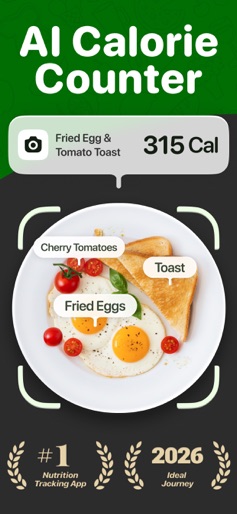
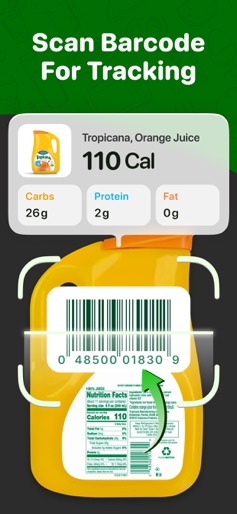
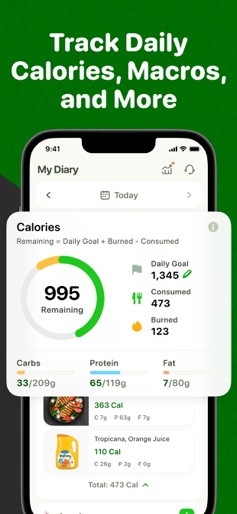
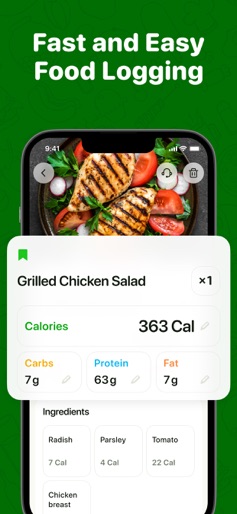
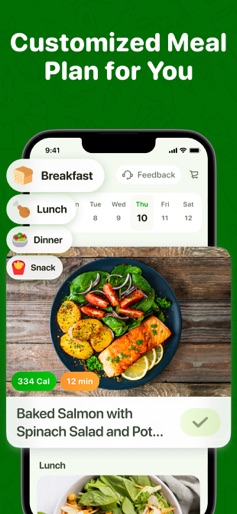
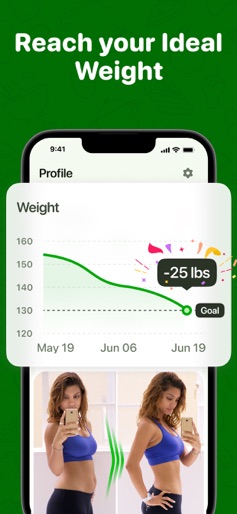
Achieve Your Weight Goals with Ease Using Calo Looking for an effective way to meet your weight and health goals? Welcome to Calo, your go-to app for seamless calorie tracking, meal planning, and adopting a healthier lifestyle. Introducing Calo: Your essential companion in reaching weight goals and improving your health! Key Features: - Calorie Counter: Tailored to your needs, our app uses science-based algorithms to set personalized calorie goals. Track your meals and snacks effortlessly with our intuitive tracker, which provides detailed nutritional information to help you make informed choices. - Macro Tracker: Beyond calorie counting, our app offers a personalized macros program. Get recommendations for protein, carbs, and fats based on your activity level and diet preferences, including balanced, low-carb, low-fat, keto, vegan, vegetarian, paleo and more. - AI-Powered Food Logging: Simplify your diet tracking with our AI-driven feature. Log meals by taking a photo or typing, and let our smart technology handle the rest. Enjoy dining out without the hassle of manual entries. - Barcode Scanner: Quickly access nutritional data by scanning the barcodes of packaged foods. Ideal for specialized diets, this feature helps you make informed food choices wherever you are. - Solid Scientific Base: Our calorie counting is grounded in a scientific foundation, using the Mifflin-St Jeor equation for Basal Metabolic Rate (BMR) and Total Daily Energy Expenditure (TDEE). This ensures a more precise, personalized calorie budget tailored to your lifestyle. - Personalized Meal Plans: Receive meal plans designed to maximize nutrient intake. Based on your eating habits and preferences, our app crafts a plan that aligns with your health goals and dietary needs. - Weight Loss Recipes: Success starts with knowing what to eat. Calo offers individualized meal plans with balanced recipes that help manage hunger and support your weight loss journey. Whether you're a beginner or advanced, customize your recipes to fit your goals. - Recipe Recommendations: Enjoy balanced meals throughout the day with our personalized meal plans. We design a plan that fits your eating habits and maximizes nutrient intake, helping you maintain a healthy diet during your eating window. Transform your relationship with food and fitness with Calo. Download now and start your journey towards a healthier you! Subscription Information: • Payment will be charged to your iTunes Account at the time of purchase confirmation. • Subscription automatically renews unless auto-renew is turned off at least 24 hours before the end of the current period. • Your account will be charged for renewal within 24 hours prior to the end of the current period. • Any unused portion of a free trial period, if offered, will be forfeited when the user purchases a subscription. • Subscriptions may be managed by the user, and auto-renewal can be turned off by going to the user's Account Settings after purchase. Note: This app is developed for informational purposes only. Always consult your doctor before starting any diet plan. Results can vary. Terms of Use: https://app-service.foodscannerai.com/static/user_agreement.html Privacy Policy: https://app-service.foodscannerai.com/static/privacy_policy.html Contact us: support@caloapp.ai
Create screenshots like Calo: AI Food Calorie Counter
Use FlyerBanana's free editor to create professional App Store screenshots inspired by Calo: AI Food Calorie Counter's design. 100+ templates, device frames, and one-click export.
More Food & Drink Apps
View all

DoorDash: Food, Grocery, More
Food & Drink


Uber Eats: Food and Grocery
Food & Drink

Domino's Pizza USA
Food & Drink


Grubhub: Food Delivery
Food & Drink
Instacart: Groceries & Food
Food & Drink


Postmates - Food Delivery
Food & Drink