

App Store Screenshots (10)






Design Analysis
Visual Design
App Insights
About Bazaart AI Photo Editor Design
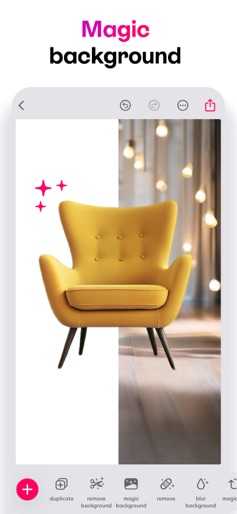
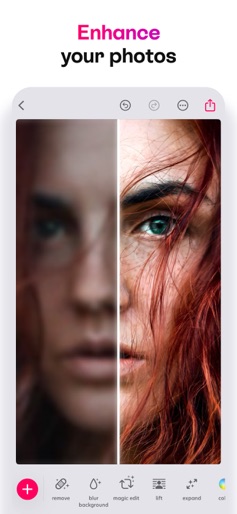
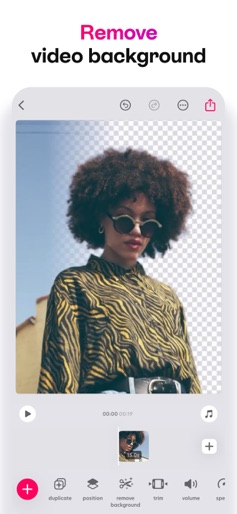
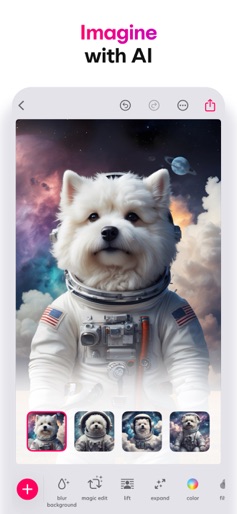
Bazaart is an easy-to-use AI photo editor, video editor, and design app. No design background needed. Create fast for online selling, digital marketing, and social media. Get your design superpowers today! What you can make For your business: Product photos, home listings, model shots, profile pics, logos, flyers, ads, posters. For your social media: Reels, TikTok videos, stories, posts, slideshows, thumbnails, stop motion videos. For your everyday life: Collages, cards, invitations, memes, WhatsApp stickers, backgrounds, wallpapers, GIFs, works of art. AI tools • Edit with AI: change or replace anything in a photo with simple prompts • Remove background: background remover for photos and videos • Remove: remove objects and people from any photo • Magic Background: create on-brand, AI-generated scenes for products and portraits • AI Image: turn text prompts into images • AI Restyle: restyle photos in one tap (from product try-ons to creative looks) • Magic Edit: select an area and replace it using a prompt • Enhance: improve photo quality in a tap • Expand: extend your photos to any size • Lift: cut the subject from the background, move and resize it Photo and video editing tools • Cut out with crop, scissors, eraser, and shape cut-out • Adjust exposure, contrast, saturation, vibrance, warmth, tint, shadows, highlights, fade, sharpness, and blur • Make elements stand out with outlines and shadows • Combine photos and videos with blending modes • Batch edit to speed through multiple photos • Blur background of any photo for a portrait look Design tools • Create in custom sizes and popular presets • Sketch and draw freely • Curve text on arcs and circles • Style text with quick presets • Fine-tune text alignment, letter spacing, and line spacing • Auto-snapping for perfect alignment • Nudge tool for precise positioning • Work with layers; every change is reversible • Organize projects into folders • Save projects to the cloud to keep them in sync Content that speeds you up • Beautiful templates made by designers • Thousands of backgrounds, graphics, shapes, and animated graphics • Photo and video effects • Large font library, plus add your own • Use photos and videos from albums, camera, files, or stock Export and share • Save images as JPG or PNG with transparency • Save videos or animated GIFs • Save as PDF • Share anywhere Upgrade your design experience Bazaart Premium Access to all tools and content, higher usage of AI tools, save without watermark, and VIP support. Bazaart Super (perfect for small businesses) Everything in Premium, plus maximum usage of AI tools and 100 GB of cloud storage. Terms of Service: https://www.bazaart.com/terms Privacy Policy: https://www.bazaart.com/terms/#privacy Need help? Email support@bazaart.com and we’ll get back to you quickly. BAZAART is a registered trademark of Bazaart Ltd.
Create screenshots like Bazaart AI Photo Editor Design
Use FlyerBanana's free editor to create professional App Store screenshots inspired by Bazaart AI Photo Editor Design's design. 100+ templates, device frames, and one-click export.
More Graphic Design Apps
View all

Picsart AI Photo Editor, Video
Graphic Design

Flyer Maker, Poster Maker
Graphic Design

Poster Maker – Flyers & Posts
Graphic Design


Poster Maker - Flyer maker
Graphic Design

Poster Maker, Flyer Maker
Graphic Design

Invitation card Maker, Design
Graphic Design