
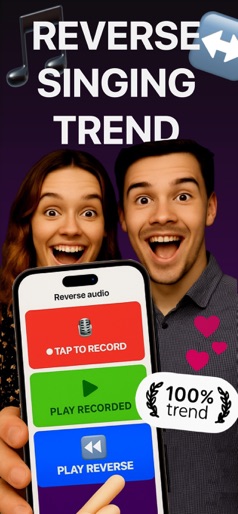
App Store Screenshots (9)




Design Analysis
Visual Design
App Insights
About Banger: AI Music Generator
Transform your musical ideas into reality with Banger, the revolutionary AI music generator that creates songs, covers, and voices in seconds. Whether you're making original tracks or reimagining classics, Banger puts professional music creation at your fingertips. ▶ AI Music Generator Create complete songs from simple prompts. Our advanced AI music generator crafts melodies, beats, and arrangements across any genre, from pop and rock to rap and electronic. ▶ AI Voice Generator Generate realistic vocals or transform existing voices. Our AI voice generator creates lifelike singing voices and lets you swap vocals in any song for stunning AI covers. ▶ AI Song Generator Turn your ideas into full songs instantly. Describe your vision and watch our AI song generator bring it to life with professional-quality production. ▶ AI Cover Creator Transform any song with Banger's AI cover technology. Our cover AI lets you reimagine classics with different voices and styles, creating unique AI covers that sound professionally produced. Key Features: • AI Music Generator: Create original songs in any style or genre • AI Voice Generator: Generate new voices or replace vocals in existing tracks • AI Song Generator: Transform prompts into complete musical compositions • AI Cover Creator: Make stunning AI covers of your favorite songs with cover AI • Music AI Technology: Advanced algorithms for natural-sounding results • Voice Swap & Replace: Seamlessly change vocals while preserving melody • Instant Creation: Generate music and voices in seconds • Share & Export: Save and share your AI-generated music creations Perfect for: • Creating original AI music and songs • Making AI covers of popular tracks with cover AI technology • Experimenting with AI voice generation • Music production and songwriting • Content creators and musicians Experience the future of music creation with Banger's AI music generator. Whether you're generating new songs, creating AI covers, or exploring voice AI, our music AI technology makes professional-quality results accessible to everyone. Create, generate, and transform music like never before. Download Banger and start your AI cover journey today! About Banger's Premium Subscription: *The subscription covers Banger’s premium features. *You can cancel your Banger subscription anytime via this URL: https://support.apple.com/en-us/HT202039 *Only with your approval, payment can be charged to your iTunes Account. *Banger subscription automatically renews unless auto-renew is turned off. Banger's Privacy Policy: https://42dijital.com/privacy.html Banger’s terms of use can be found via this URL on Banger’s official website: https://42dijital.com/terms.html
Create screenshots like Banger: AI Music Generator
Use FlyerBanana's free editor to create professional App Store screenshots inspired by Banger: AI Music Generator's design. 100+ templates, device frames, and one-click export.
More Creativity Apps
View all

Craftsman: Building Craft
Creativity


Video Editor & Maker - InShot
Creativity


Color by Number:Coloring Games
Creativity


Picsart AI Photo Editor, Video
Creativity


Filmora: AI Video Editor&Maker
Creativity


GoPro Quik
Creativity