

App Store Screenshots (8)




Design Analysis
Visual Design
Style: Material Design
Key Features Shown
- •High Quality Recording
- •After Call Menu
- •In-built Audio Player
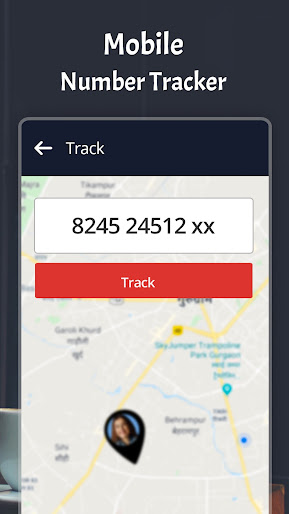
- •Mobile Number Tracker
- •Mark Favorites/Filter
App Insights
Target: Android users in emerging markets (India, Bangladesh, MENA) requiring phone call documentation for legal, business, or personal security reasons.
- •Ad-supported (Interstitial and banner ads)
- •In-app purchases for premium features
- •Subscription-based ad removal
ASO Keywords:
About Automatic Call Recorder ACR
Automatic Call Recorder Latest☎️ for Android is a free & easy-to-use call recording app. You can record phone calls from both ends anytime, anywhere. With this app, you can record calls in high quality & without any limits. Caller ID feature will identify the true callers name before you receive unknown phone calls. New Feature: Voice Recorder It is simple and easy to use. You can personal notes, reliably record your meetings,, speeches, lectures, songs or anything. The list of recorded calls will be shown and streamlined on the home screen of the app, you can sort and start calls🌟 to your heart's content. You can manage your recorded calls, listen to the recordings using our in-built audio player, add notes to them and share them. Never ever worry about losing an important detail again. And did we tell you? It is simple and easy to use as well😀. FEATURES 👉 Automatically records all incoming and outgoing calls in High Quality 👉 Password protected 👉 Call recording backup 👉 Audio/Voice Recorder 👉 Listen to your recording on the app itself using our built-in audio player. 👉 Sort, Filter, Mark Favorite and rename calls with one touch. 👉After Call menu with easy access to your call recordings & call info overview. 👉 Add convenient notes🖋️ to your calls for ease of use. 👉 Set recording duration limit or record calls without limits. 👉 Unmatched Audio Quality with clear sound🔊 from both ends. 👉 Lets you record all calls/selected calls or ignore contacts entirely. 👉 Fast and Fluid UI. 👉 Recover Deleted Apps & Games New Features of Automatic Call Recorder ACR Fingerprint + PIN lock Keep your recordings secure with your own fingerprint or by using a secure PIN. With this feature, you can keep your recordings safe and private. Backup to Drive Take backups of your precious recordings and keep them safe on the cloud☁️. This ensures you never lose your important recordings and also have access to them when you switch to a new device. Improved Voice Quality on Both Sides Automatic Call Recorder ACR uses smart recording algorithms that records your voice and the person you are speaking with in high quality. However, you may face issues with recording quality on newer devices due to some hardware limitations that are beyond our control. Volume Booster📢 Boost volume while listing to your call recordings. This helps you listen better. App Recovery App Recovery feature helps you to recover deleted apps & games with a single click. Now you can easily recover recently deleted apps or games. ❗Note Once you install and open the app it will request for a few permissions. This app won't work unless all permissions are allowed. Privacy Policy - https://www.q4umobileapps.com/web/acr/privacy-policy Terms of Use - https://www.q4umobileapps.com/web/acr/tandc EULA - https://www.q4umobileapps.com/web/acr/eula We are always trying to make our apps better for our users and are therefore open to user feedback and suggestions. In case you are facing an issue or have any suggestions to improve Automatic Call Recorder further, feel free to reach out to us on support@q4umobileapps.com.
Create screenshots like Automatic Call Recorder ACR
Use FlyerBanana's free editor to create professional App Store screenshots inspired by Automatic Call Recorder ACR's design. 100+ templates, device frames, and one-click export.











