

App Store Screenshots (8)

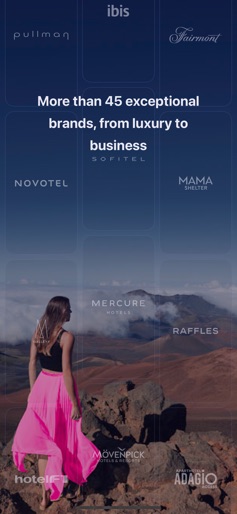


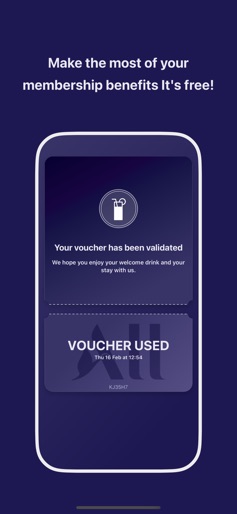


Design Analysis
Visual Design
Style: iOS Native
Key Features Shown
- •Loyalty point tracking
- •Brand portfolio showcase
- •Multi-criteria search engine
- •Flash offer countdowns
- •Digital vouchers
App Insights
Target: Global travelers ranging from budget-conscious (Ibis) to luxury seekers (Sofitel, Fairmont), including both business and leisure segments.
- •Direct hotel bookings
- •Ancillary services (restaurants, bars)
- •Loyalty program retention
ASO Keywords:
About ALL Accor - Hotel booking
The Best Hotels for the Perfect Stay! Discover the convenience of the ALL Accor app, and the best offers for your travels. Here you can find the best hotel deals for you and your family, whether for business or leisure – hotels, hostels, resorts, and apartments ranging from budget to luxury. Accor provides a world of options in over 100 countries, spanning more than 3,000 cities and 5,000 destinations to explore with economy, premium and luxury hotels. In total, there are 45 different brands, including Novotel, Pullman, Ibis, Sofitel, Mercure, Fairmont, JO&JOE, Grand Mercure, and many others. With the ALL Accor travel app, you can easily and securely book the best accommodation! Book your stay in a hotel or resort. If you're looking for the best price, in the ALL Accor app you will find discounts and budget-friendly hotels. And if you're traveling in a large group or looking for an extended stay, there's the option to find the perfect apartment. With over 5,000 properties worldwide, you can choose the perfect hotel not only based on location and the number of guests but also by star rating, guest reviews, and available hotel services – all at your fingertips in our ALL.com app. Download the ALL Accor app and have a world of offers at your fingertips! • Prepare Your Stay Find a place to stay in any destination worldwide or near a specific attraction, browse through room and space photos, and check TripAdvisor reviews. Enjoy your trip! • Manage Your Reservation Track your bookings, manage your payment methods, edit your personal information, and check-in online. If you are a member of ALL, track your Reward points and progress towards the next status tier. You can book your hotel, manage your reservation, and prepare for your trip. In our app, you'll find all the information about the hotel and your stay. • ALL – Loyalty Program Sign up for free to our loyalty program ALL - Accor Live Limitless and enjoy hotel discounts of up to 10% on every reservation, year round with our members’ rate. Your stay generates Reward points at our hotels. Additionally, you can earn points at our restaurants and bars, even without a stay! • Explore Destinations Do you love to travel? In our app, you'll find the perfect place to stay in the most impressive cities worldwide: -North America: Canada, United States, and Mexico. -Europe: Paris, Lisbon, Germany, the United Kingdom, and more. -South America: Brazil, Chile, Peru, Argentina, Colombia, Bolivia, and many other destinations. Download the ALL Accor app and discover all our destinations, from Asia to the Pacific, Europe to the Americas, and anywhere in-between. Whether for leisure or business, you’ll find the right option for your trip.
Create screenshots like ALL Accor - Hotel booking
Use FlyerBanana's free editor to create professional App Store screenshots inspired by ALL Accor - Hotel booking's design. 100+ templates, device frames, and one-click export.











