

3D Bolt Master™: Screw Master®
Mavericks Mobile
App Store Screenshots (7)

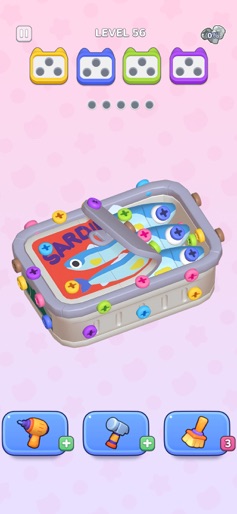
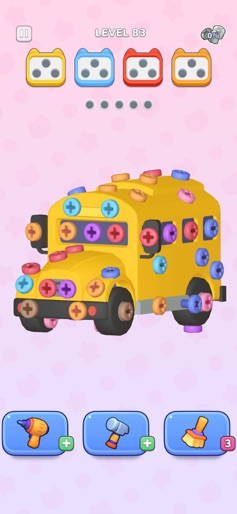


About 3D Bolt Master™: Screw Master®
Happy New Year, my friend! New Year Celebration vibes fill the air. As the 2026 Countdown begins, why not add a dash of festive fun to your New Year Night? 3D Bolt Master™ is not just a puzzle game, but also a fresh start filled with Good Luck 2026! 3D Bolt Master™: Your Festive 2026 Puzzle Escape * Color-Based Comfort Find calm in sorting screws and bolts by hue—each match feels like confetti falling on New Year’s Eve! Turn chaos into harmony with every color-coordinated bolt, sharpening focus while embracing Lucky 2026 vibes. Every level is a win for mood, IQ, and prosperity. * Play Offline Your pocket-sized Holiday Challenge! Enjoy hours of immersive screw puzzles wherever you are—whether it’s a Midnight Party lull or a quiet Family Time moment. * Gentle Brain Engagement Engage your mind with thoughtful New Year Quests, not frantic challenges. 3D Bolt Master™ offers: - Relaxing colorful crazy match holiday puzzles - Stress-busting 2026 find master challenge - IQ-testing 3D pin puzzles with tidy master flair * Smooth Controls & Satisfying Touches 360° screw rotation for perfect disassembly—adjust angles freely to solve puzzles like unwrapping New Year Gifts! Enjoy subtle visual and sound cues (think gentle firecracker pops) with every Screw Master action. * New Year Event & Vibrant Puzzles - Color-Calming Festive Themes: Soft, curated palettes that mirror champagne toasts and lantern glows. - Mindful Progression: Levels that ease you into a flow with Unscrew Nuts Sort, no frustration—just Good Fortune. - Daily New Year Rewards: Gentle quests and Bonus 2026 perks for Find master and tidy master challenges encourage daily mindfulness, making every play a Lucky Start to 2026! Game Highlights: * Color Blind Mode No one misses the Woodle Screw pin fun! - Icon + Pattern: Screw display unique shapes (△□○) with colors for easier identification. - High-Contrast Palettes: Optimized colors for better visibility, helping you breeze through Crazy Match and Woodle Screw stages. Tap Play > Settings > Color Blind to activate! * Daily & Limited-Time Events - Daily Gift & Quests: Log in daily to claim special rewards; complete tasks, earn points, and unlock epic screw sets and bonus! - Streak Journey: the more you win, the more you get! Keep the momentum going! - Find Master Treasure Quest: 100 players, 7 wins in a row, win big prize! * Exclusive Gift Packs - Booster Bundle: Only available once a day! Unlock once per day for 1h of Free unboxing in every level! - Golden Pass: Your wins unlock exclusive rewards, richer prizes, and premium perks that regular players can't reach! - Tidy Master Crafter Kits: Special tool packs designed to help you tackle advanced challenges with ease. Gameplay: ・Unscrew blocked nuts and free trapped bolts with precision. ・Use tools like the hammer, drill, and broom - allies in color-coded puzzle order. ・Sort by color, unlock paths, and bring harmonious visuals to each puzzle. Ready to hop on the bus to screw land? Download 3D Bolt Master™ now, unscrew nuts, become a screw master of the screw land! * TikTok: https://www.tiktok.com/@3dboltmasterofficial * Facebook: https://www.facebook.com/profile.php?id=61568990223133
Create screenshots like 3D Bolt Master™: Screw Master®
Use FlyerBanana's free editor to create professional App Store screenshots inspired by 3D Bolt Master™: Screw Master®'s design. 100+ templates, device frames, and one-click export.