

2nd Line+ Second Number & eSIM
MobileOcean Bilisim
Create Screenshots Like 2nd Line+ Second Number & eSIMApp Store Screenshots (8)




Design Analysis
Visual Design
App Insights
About 2nd Line+ Second Number & eSIM
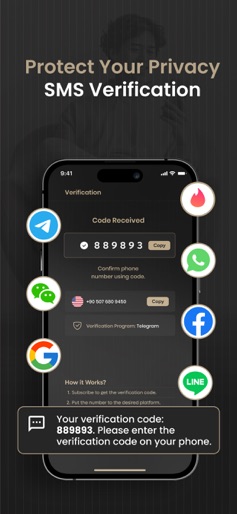
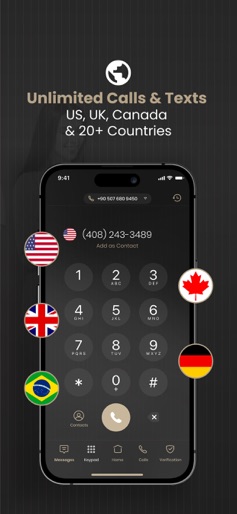
Affordable Private Calls & Texts Anywhere in the World. Travel and Connect Globally with eSIM at Local Prices! Empowering Your Communication Needs: Access to Internet with eSIM, Private Phone Numbers, and SMS Verifications - All in One Place with 2nd Line+! 2nd Line+ offers an unparalleled solution for users seeking a second number for private calls, text messages, and SMS activation codes. Gain control over your communication without the need for an extra SIM card, and enjoy a host of features that cater to your privacy and connectivity needs. Key Features: -Private Numbers Across 25+ Countries, Including USA, Canada, and UK: Easily access private numbers for personal and business use in over 25 countries, including the USA, Canada, and the UK. Maintain the confidentiality of your real number while making calls and sending texts internationally. -Flexible Number Options for SMS/OTP Activation: 2nd Line+ provides specialized numbers designed for SMS and OTP activation on almost every social platform, including WhatsApp and Telegram. Ensure a seamless and secure registration process without compromising your primary number. -Affordable International Calling: Make international calls to over 25 countries at competitive rates. With in-app currency, enjoy the convenience of cost-effective communication without sacrificing call quality. -Global Connectivity, Local Pricing: Expand your connectivity globally with virtual numbers from various countries. Whether you're an entrepreneur, traveler, or seeking a second number for diverse needs, 2nd Line+ offers reliable and affordable solutions. -Secure and Transparent: Manage calls, SMS, and MMS securely with our cloud-based virtual number app. Experience a reliable and transparent pricing structure without hidden fees or additional charges. How to Use 2nd Line+: 1-Download and launch the app. 2-Choose a private number package. 3-Make cost-effective international calls. 4-Utilize specialized numbers for SMS/OTP activation. 5-Manage calls, SMS, and MMS effortlessly. 6-Enjoy local calls at competitive prices. Trust 2nd Line+ for a secure, reliable, and feature-rich communication experience. Download the app now and take control of your private communication needs. About Subscriptions and Terms of Use: -For Unlimited Features of 2nd Line+, some Premium subscriptions are needed. -Payment will be made from your iTunes account after you confirm the purchase. -Subscriptions will auto-renew at the end of each term if it is not canceled 24 hours before the end of the purchasing term. -The user can manage subscriptions. Auto-renew can be turned off from iTunes account settings. -You can cancel your subscriptions by entering: http://support.apple.com/en-us/HT202039 - Privacy Policy: https://mobileocean.co/2ndlineprivacy/ - Terms of Use: https://mobileocean.co/2ndlinetermsofuse/ - Support mail: help@2ndlineplus.com
Create screenshots like 2nd Line+ Second Number & eSIM
Use FlyerBanana's free editor to create professional App Store screenshots inspired by 2nd Line+ Second Number & eSIM's design. 100+ templates, device frames, and one-click export.











